
If you run a digital marketing agency, chances are you’re wearing too many hats account manager, lead chaser, content scheduler, and tech firefighter all in one.
Now imagine this: what if your systems could automatically capture leads, follow up via email and text, book calls, send onboarding documents, and request reviews — all without you touching a thing?
That’s not a dream. That’s digital marketing automation.
In this article, you’ll learn what marketing automation is, how it works for agencies, what tools to use, and how to implement it step by step — no developer or full-time team required.
Key Takeaways
- What marketing automation means for agencies
- How it saves time and increases profits
- Real-world workflows you can automate
- Best tools (with pricing) for every budget
- How to implement automation without overwhelm
- FAQs for agencies new to automation
What Is Digital Marketing Automation
Digital marketing automation is the use of software to perform marketing tasks automatically.
Instead of manually sending welcome emails, chasing leads, or reminding clients about appointments — automation tools handle it behind the scenes, based on rules you define.
For agencies, automation isn’t just a convenience — it’s a growth strategy.
✅ Fewer repetitive tasks
✅ Better client experience
✅ Faster response times
✅ More leads converted
✅ Higher team productivity
Marketing automation lets you scale without burnout.
Why Agencies Should Embrace Automation
Agencies juggle multiple clients, deadlines, and platforms. Without automation:
- You waste hours on follow-ups
- Leads fall through the cracks
- Client onboarding becomes inconsistent
- Campaigns are hard to manage
- Your team gets overwhelmed
By automating marketing tasks, you free up time to focus on strategy, results, and growth — the work that moves the needle.
Core Areas Agencies Can Automate
Let’s break down where marketing automation delivers the most impact for agencies—with real examples.
1. Lead Generation and Follow-Up
Manually chasing every lead from a Facebook ad or website form? That’s a productivity killer.
With automation:
- Lead enters via form, chat, ad, or social
- Auto-response sent in seconds (email or SMS)
- Calendar link provided for booking
- The nurture sequence begins if there is no response
📌 Example: A wellness agency captures leads from Instagram ads. The automation sends a thank-you text + booking link. Unresponsive leads receive follow-ups for 7 days.
2. Appointment Booking and Reminders
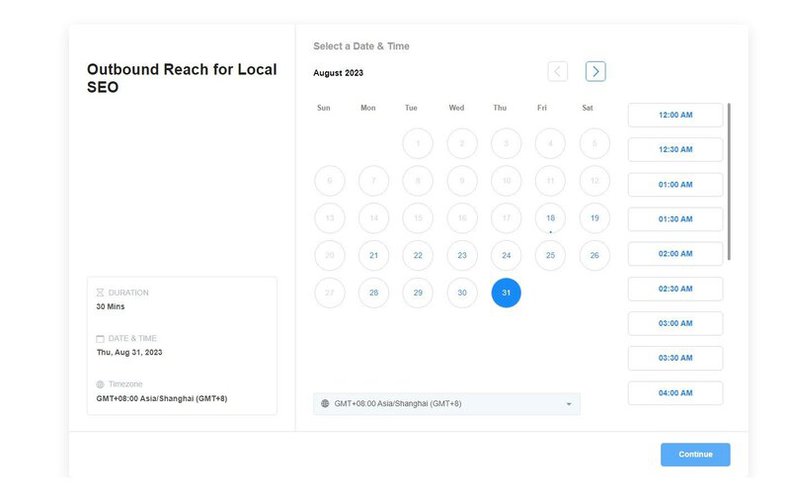
Booking calls or consultations is a repetitive task, often handled by staff or VAs. Automation removes the friction.
Automated systems can:
- Share booking links automatically
- Send reminders via SMS/email
- Handle rescheduling
- Reduce no-shows with follow-up messages
📌 Example: A creative agency’s funnel books 20 discovery calls per week. AI sends confirmations, reminders, and reschedule links — no human needed.
3. Client Onboarding
Bringing on a new client typically involves:
- Welcome emails
- Contracts and intake forms
- Scheduling kickoff calls
- Sharing assets and instructions
With automation, all of this can happen automatically triggered by a signed agreement or payment.
📌 Example: A digital marketing agency sends an automated onboarding email series with a welcome video, intake form, and meeting calendar after a client pays.
4. Email and SMS Campaigns
Running promotions, updates, or client education via manual email? That’s slow and inconsistent.
Automated campaigns can:
- Drip nurture leads over weeks/months
- Promote seasonal offers automatically
- Send re-engagement emails to cold leads
- Follow up after missed appointments
📌 Example: A GHL Snapshot user builds a “12 Days of Promotions” email/SMS campaign once and reuses it for every holiday season.
5. Social Media Engagement and Comment Automation
Many platforms allow you to automate DMs or replies to social media comments—turning engagement into conversions.
- Auto-reply to “Interested!” comments with DMs
- Capture lead info
- Offer booking links or opt-in forms
📌 Example: An agency posts a lead magnet on Facebook. When users comment, the AI bot replies and DMs them the download link + upsell offer.
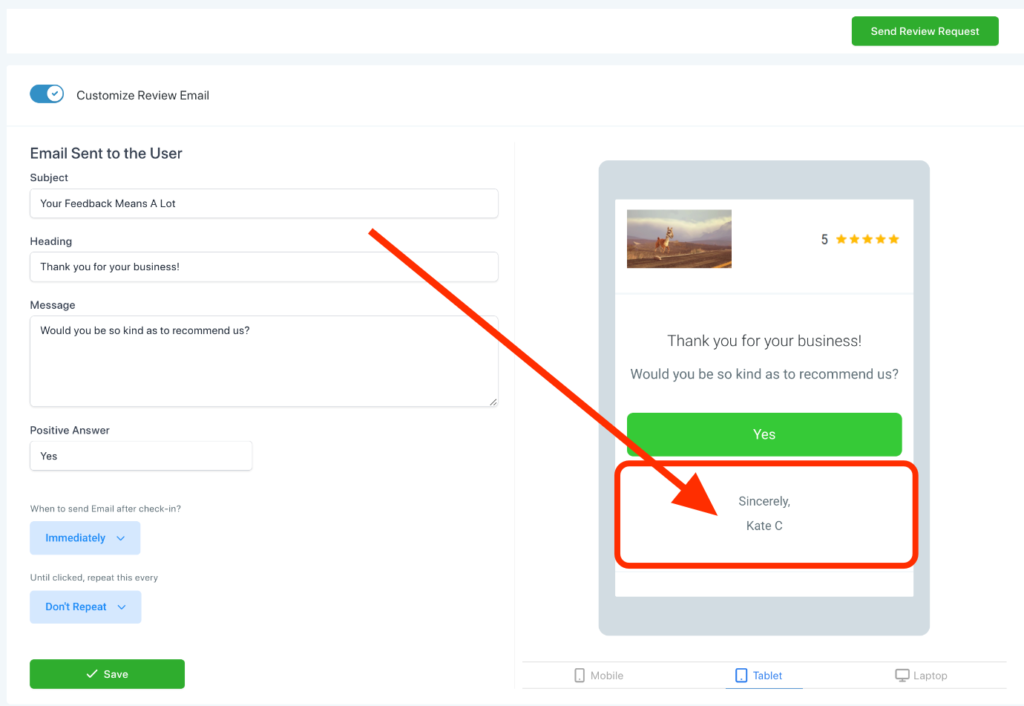
6. Review and Feedback Requests
Positive reviews = trust and visibility. But most clients forget unless you ask—repeatedly.
Automate your feedback loops:
- Trigger review requests after service completion
- Send reminder emails/texts
- Link directly to Google or Facebook review pages
📌 Example: A design agency triggers a review request 3 days after project handoff. 70% of clients leave a Google review.
Best Marketing Automation Tools for Agencies
Here are the most agency-friendly tools, along with pricing:
| Platform | Features | Best For | Monthly Cost |
|---|---|---|---|
| GoHighLevel | CRM, SMS, email, funnel builder, automation workflows, AI bot | All-in-one agency automation | $97–$497 (agency plan) |
| ActiveCampaign | Email automation, CRM, lead scoring | Small to mid-size agencies | $49–$149 |
| HubSpot | Marketing automation, CRM, sales pipelines | Mid-to-enterprise agencies | $50–$800+ |
| MailerLite | Email automation, landing pages | Solo marketers and freelancers | Free–$50+ |
| Zapier | Connects apps, automates actions between tools | Workflow automation between platforms | Free–$49+ |
💡 Pro Tip: GoHighLevel stands out because it replaces multiple tools — think Calendly, Mailchimp, ClickFunnels, and CRM software — for one flat fee.
Pricing Breakdown for Agency Automation
Let’s compare building your own automation vs. using a done-for-you solution:
| Feature | DIY Build | Using Snapshot (e.g. GHL) |
|---|---|---|
| CRM Setup | $300–$500 | ✅ Included |
| Email/SMS Workflows | $500–$1,000 | ✅ Included |
| Funnel Pages | $500+ | ✅ Included |
| AI Chatbot | $700+ | ✅ Included |
| Review Request Workflows | $250+ | ✅ Included |
| Scheduling & Onboarding Setup | $400+ | ✅ Included |
| Total Cost | $2,500–$4,000 | $997 one-time |
With a GoHighLevel Snapshot, you get everything prebuilt, customizable, and supported — with no ongoing costs or need to hire developers.
How to Start with Marketing Automation
You don’t need to automate your entire agency overnight. Here’s how to ease in:
Step 1: Map Your Client Journey
List out every repetitive task from lead to loyal client.
Step 2: Choose a Platform
Select one tool that can handle 80% of your needs (GoHighLevel is a popular choice for agencies).
Step 3: Automate One Workflow
Start small—lead follow-up or appointment booking is a great first automation.
Step 4: Test and Tweak
Make sure your emails/SMS land, links work, and forms capture correctly.
Step 5: Scale Over Time
Add onboarding flows, promo campaigns, review requests, upsell automations, and more.
Frequently Asked Questions
What exactly is marketing automation for agencies?
Is it hard to set up?
Can I use one automation system for multiple clients?
How do I know what to automate first?
Is marketing automation expensive?
Final Thoughts
Digital marketing automation is no longer optional — it’s the foundation for scaling a profitable, efficient agency.
With the right tools, you can:
- Capture more leads
- Respond instantly
- Book more calls
- Onboard clients faster
- Reduce workload
- Deliver better results
Whether you’re a solo consultant or running a growing agency, automation helps you build systems that sell, follow up, and deliver—even when you’re offline.
🎯 Ready to automate your agency?
Start small, keep it simple, and choose a platform that grows with you.