
To migrate a marketing agency to GoHighLevel without losing data, work in this order: audit your current stack, map every field from your old CRM to GHL, clean the data before you move it, run a test import into a staging sub-account, rebuild your automations natively inside GHL, then do a parallel-run cutover and QA against the source before you switch off the old tools. Done in that sequence, an agency with a HubSpot-plus-Mailchimp-plus-Calendly stack can consolidate into one platform in roughly two to four weeks with zero downtime — your team keeps working the entire time. The mistake that kills most migrations isn’t the export; it’s skipping the mapping and cleaning steps and attempting a “big-bang” cutover that drops history, breaks automations, and leaves leads unanswered.
I came up on the media-buying side, and the thing that finally pushed me to rebuild our whole stack inside GoHighLevel wasn’t a feature — it was the tax of running six tools that didn’t talk to each other. If you run an Atlanta agency and your leads live in one system, your email in another, your calendar in a third, and your reporting in a spreadsheet, you already know the cost. Below is the honest, sourced playbook for moving all of it into GHL cleanly.
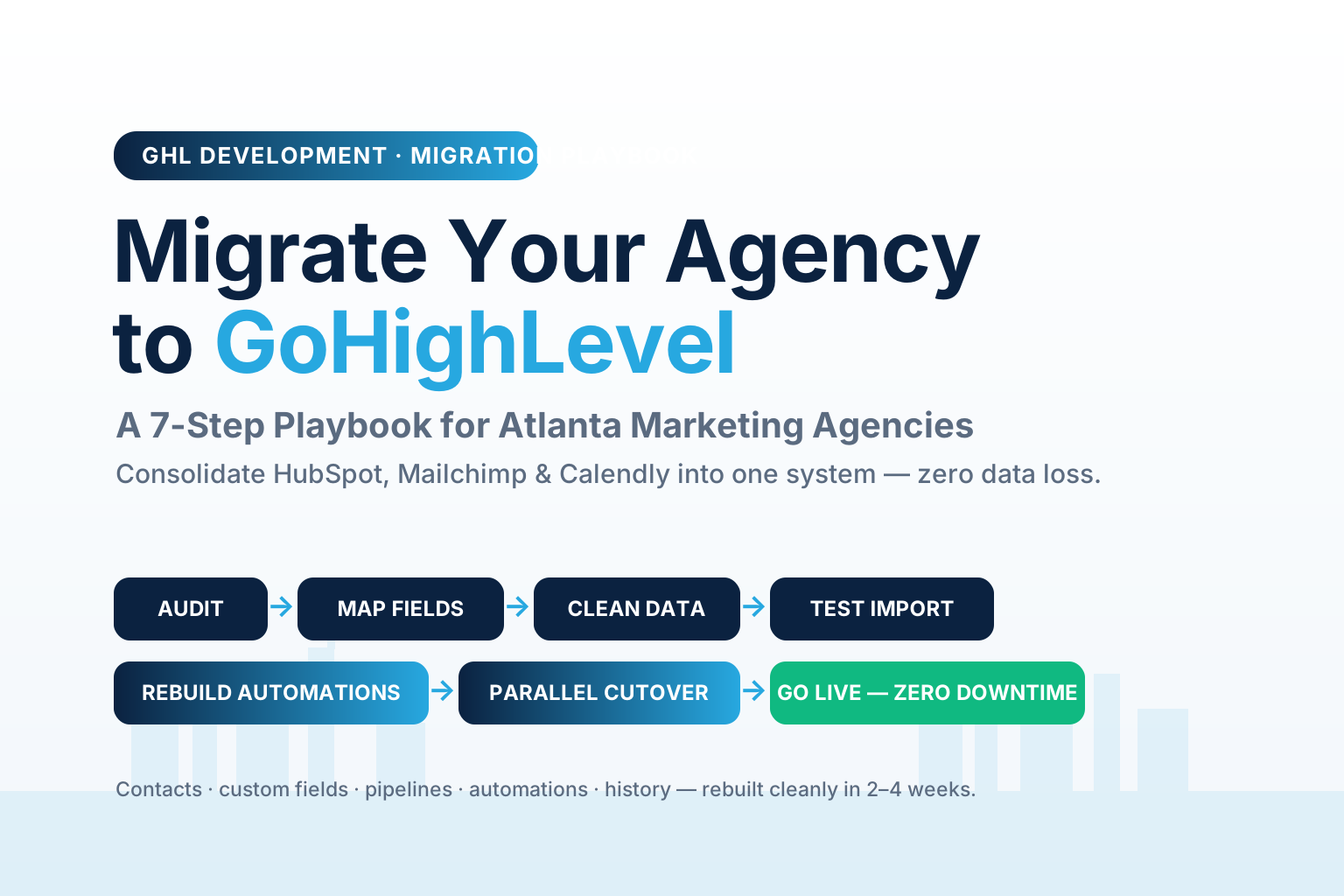
Table of contents
- Why Atlanta agencies are consolidating into GoHighLevel
- What “migrating to GoHighLevel” actually means
- The 3 mistakes that kill agency migrations
- The 7-step GoHighLevel migration playbook
- The payoff: one system that responds in seconds
- DIY vs done-for-you migration
- Why this matters for Atlanta agencies specifically
- FAQ
Why Atlanta agencies are consolidating into GoHighLevel
Start with the number that explains the whole trend: marketers use only 33% of their martech stack’s capabilities, down from 42% in 2022 and 58% in 2020 — and that decline happened while martech spending rose to $23.6 billion (Gartner, 2023). Translated for an agency owner: you’re paying more every year for tools you use less. Every logo in your stack is a subscription, a login, an integration that breaks, and a place where a lead can fall through a crack.
It gets worse when you count the licenses nobody touches. Recent SaaS data found that over half — 52.7% — of purchased software licenses go unused, wasting an average of roughly $21 million a year at the enterprise level (Zylo, 2025). Your agency isn’t spending millions, but the same rot is on your P&L in miniature: the email tool you kept “just in case,” the scheduler two people use, the CRM you outgrew.
And the cost isn’t only money. When your work is scattered across six tabs, your team pays a toggle tax. Harvard Business Review found workers switch between applications about 1,200 times a day and spend just under four hours a week — roughly 9% of their working time — reorienting after those switches (HBR, 2022). For a lean agency, that’s a full afternoon per person, per week, lost to context-switching instead of serving clients.
GoHighLevel’s pull for agencies is simple: it collapses the CRM, email and SMS, calendars, funnels, pipelines, reputation, and reporting into one platform your whole team works inside. That’s the same logic behind choosing GoHighLevel over HubSpot for agencies — fewer seats, one source of truth, and automations that actually connect end to end.
What “migrating to GoHighLevel” actually means
“Migration” sounds like a data export, but for an agency it’s really five moves happening at once. Getting all five right is the difference between a clean cutover and a month of firefighting:
- Contacts & custom fields — every lead and client record, plus the custom fields that hold the data you actually run on (source, deal value, service, renewal date).
- Pipelines & opportunities — your sales and fulfillment stages, and every deal sitting in them, moved without losing where each one stands.
- Automations & workflows — the follow-ups, reminders, and nurture sequences. These usually can’t be “exported” — they have to be rebuilt natively in GHL, which is both the hardest step and the biggest upgrade.
- Calendars & booking — your Calendly or Acuity links, availability, and round-robin rules, rebuilt as GHL calendars so booking triggers workflows directly.
- History & assets — notes, tags, conversation history, forms, and templates, so nothing your team relies on disappears on day one.
If you only move the contacts and forget the field mapping and the automations, you don’t have a migration — you have a spreadsheet import that breaks the first time someone tries to run a campaign. This is exactly the kind of build our custom GHL development team does field-by-field, and it’s why a real migration is a project with milestones, not an afternoon.
The 3 mistakes that kill agency migrations
Before the playbook, know what actually goes wrong — because every one of these is avoidable.
Mistake 1: Moving dirty data. If you migrate duplicates, dead contacts, and half-filled fields, you don’t clean them — you carry them into the new system and pay for them forever. Poor data quality already costs organizations an average of $12.9 million a year (Gartner). A migration is the one moment you get to leave the junk behind. Clean before you move.
Mistake 2: No field mapping. When “Lead Source” in HubSpot has no defined home in GHL, that data lands in the wrong field or vanishes. Every field needs a mapped destination on paper before a single record moves.
Mistake 3: The big-bang cutover. Flipping everything off on Friday and expecting GHL to run Monday is how agencies lose a weekend of leads. The fix is a parallel run — both systems live briefly — so you can QA the new build against the old one before you pull the plug.
The 7-step GoHighLevel migration playbook
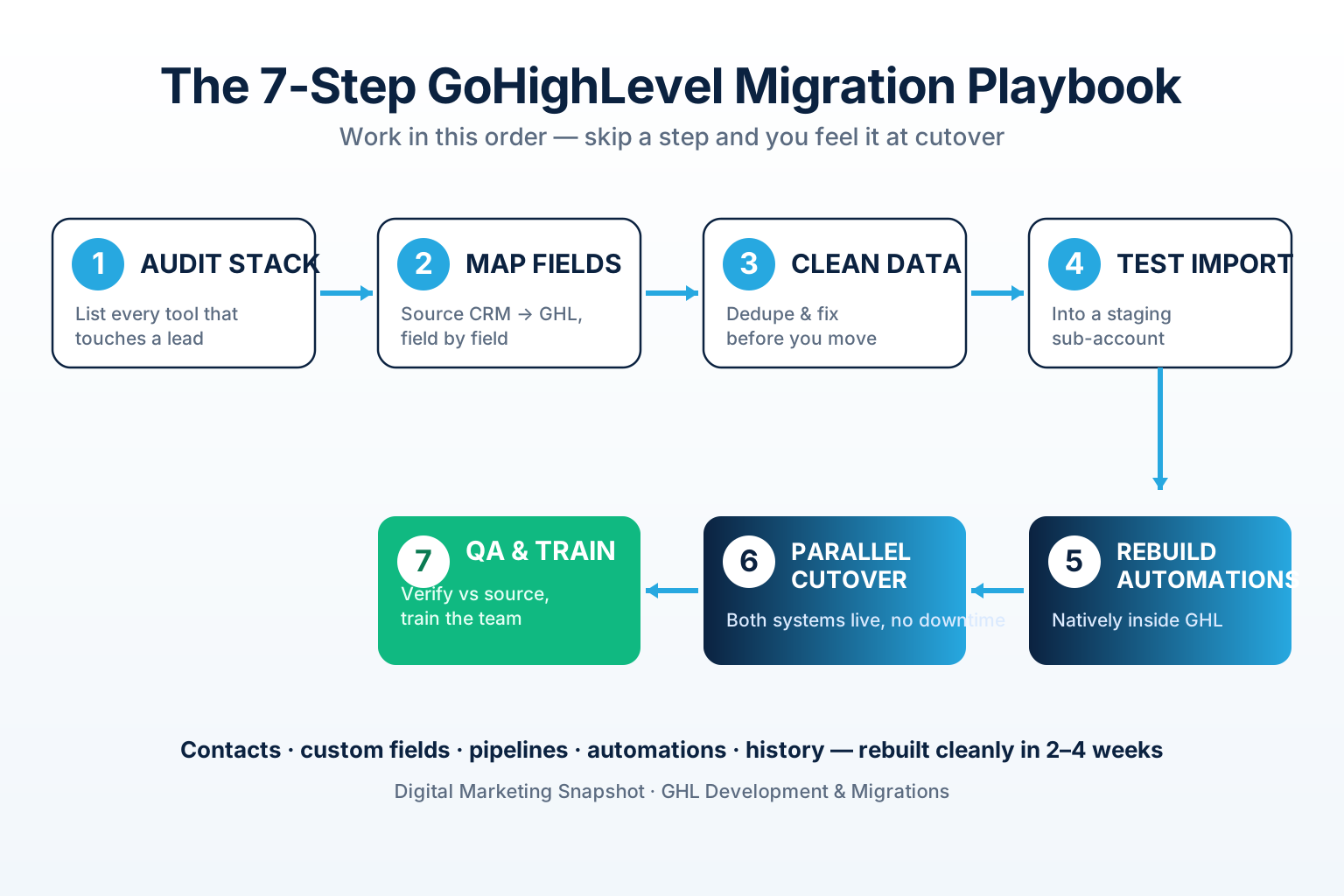
Here’s the sequence, in order. Skip a step and you’ll feel it at cutover.
Step 1 — Audit your current stack
List every tool touching a lead or client: CRM, email, SMS, calendar, forms, funnels, reporting. For each, note what data lives there, who uses it, and what it costs. This is where most owners first see their sprawl — and where you decide what actually needs to come across versus what you’re finally retiring.
Step 2 — Map every field, source to GHL
Build a simple mapping sheet: every field in HubSpot/Pipedrive/ActiveCampaign in one column, its GoHighLevel destination in the next. Custom fields, tags, pipeline stages, lead sources — all of it. This document is your migration’s blueprint; nothing moves until each field has a home.
Step 3 — Clean the data before you move it
Deduplicate, delete dead records, standardize phone and date formats, and fill or drop empty required fields. Moving clean data into GHL is what makes your new automations fire correctly on day one. This is the single highest-ROI hour in the whole project.
Step 4 — Run a test import into a staging sub-account
Never import into production first. Spin up a staging GoHighLevel sub-account, import a sample, and confirm every field landed where your map said it would. Fix the mapping, re-run, and only scale up once a test batch is perfect.
Step 5 — Rebuild your automations natively in GHL
This is the step you can’t shortcut — and the one that pays you back. Your old nurture sequences, reminders, and follow-ups get rebuilt as native GHL workflows and CRM automations, often better than the originals because now they can trigger SMS, calls, and pipeline moves in one flow. Agencies frequently add an AI caller and instant speed-to-lead follow-up here that their old stack couldn’t do at all.
Step 6 — Parallel-run the cutover with zero downtime
Keep both systems live for a short window. Route new leads into GHL while the old system stays readable, so nothing stops while you confirm the new build is handling real traffic. When it is, you cut over fully — cleanly, on a schedule, not in a panic.
Step 7 — QA against the source, then train the team
Compare record counts, spot-check contacts and deals against the old system, and fire every workflow with a test lead. Then train your team on the one platform they now live in. A migration that nobody knows how to use isn’t done — adoption is the final deliverable.
Percent of martech stack capabilities marketers actually use, 2020–2023 — falling even as spend rose to $23.6B. Source: Gartner 2023 Marketing Technology Survey, via MarTech. Consolidating into one platform is a direct response to this decline.
The payoff: one system that responds in seconds
Consolidation isn’t the goal — speed is. When every lead lands in one platform with automations already wired, you can respond instantly instead of when someone notices the notification in the right tool. That matters more than most agencies admit.
Harvard Business Review’s study of thousands of U.S. companies found the average first response to a web lead took 42 hours, and 23% of companies never responded at all (HBR, 2011). Meanwhile, the widely-cited MIT/Lead Response Management research found that contacting a lead within 5 minutes makes you dramatically more likely to qualify it than waiting even 30 — the odds fall off a cliff fast. A scattered stack guarantees you lose that window; a consolidated one built to fire in seconds is how you win it.
Hours to first lead response. Scattered-stack average of 42 hours per HBR, 2011; a consolidated GoHighLevel system with automated speed-to-lead responds in well under a minute (~0.02 hr). Faster response is the entire reason to consolidate.
That speed also fixes attribution. Once every lead flows through one system, you can finally see which campaign produced which client — the reporting that keeps retainers renewing. It’s the same reason a clean, fast onboarding process becomes possible only after your tools stop fighting each other.
DIY vs done-for-you migration
You can migrate yourself — plenty of agencies do. The question is whether your billable hours are better spent mapping HubSpot fields at midnight or serving clients. Here’s the honest comparison.
DIY migration vs a done-for-you GHL migration
| Plan | DIY migration | Done-for-you migrationRecommended |
|---|---|---|
| Price | Your billable hours | Fixed-price, 2–4 weeks |
| Feature 1 | You learn GHL's data model as you go | Mapped field-by-field before anything moves |
| Feature 2 | Field mapping errors surface at cutover | Test import + QA against your source data |
| Feature 3 | Automations rebuilt by trial and error | Automations rebuilt natively and improved |
| Feature 4 | High risk of a big-bang mistake | Zero-downtime parallel-run cutover |
| Feature 5 | Weeks of nights and weekends | Your team keeps working the whole time |
| Get a migration quote → |
Our GHL development team runs full migrations off HubSpot, Salesforce, Pipedrive, ActiveCampaign, Mailchimp, and legacy CRMs — contacts, custom fields, pipelines, automations, and history rebuilt cleanly inside GoHighLevel, on a fixed-price scope (typically $2K–$40K+ per project depending on size, or $75/hr with no minimums for smaller jobs). If your build is a standalone app rather than a GHL migration — a custom portal or dashboard — that lives on our custom software side instead.
Why this matters for Atlanta agencies specifically
Atlanta is one of the densest opportunity markets in the Southeast, and that cuts both ways. Georgia is home to 1.4 million small businesses — 99.7% of all businesses in the state — employing 1.8 million people (U.S. SBA Office of Advocacy, 2025). Those SMBs are exactly who hires agencies and who needs the automations you sell. Fulton County alone reached 960,600 jobs as of late 2024, the largest employment base of any county in the state (U.S. Bureau of Labor Statistics, 2025).
That density means competition. For every prospect your scattered stack is slow to answer, another Atlanta agency with a tighter system answers first. Consolidating into GoHighLevel is how a local agency stays responsive at the speed the market demands — and how you scale client load without adding a tool (or a hire) for every new problem. If you’re weighing the platform cost alongside the migration, our breakdown of GoHighLevel pricing for agencies pairs well with this playbook, and if you’re new to the ecosystem, start with what a GoHighLevel snapshot is.
FAQ
Migrating a marketing agency to GoHighLevel — quick answers
How long does a GoHighLevel migration take?
A clean, done-for-you migration typically takes 2–4 weeks depending on the size of your database and the number of automations to rebuild. The timeline covers auditing your stack, mapping every field, cleaning the data, a test import, rebuilding automations natively in GHL, and a zero-downtime cutover. Your team keeps working the entire time, so there's no gap in service.
Will I lose my data or history migrating to GoHighLevel?
Not if it's done in the right order. The whole point of mapping fields before you move, cleaning the data, running a test import into a staging sub-account, and QAing against your source system is to guarantee nothing is lost. Contacts, custom fields, pipelines, tags, notes, and conversation history all come across. Data loss happens when agencies skip mapping and attempt a big-bang cutover — which the 7-step playbook is designed to prevent.
Can I migrate from HubSpot, Mailchimp, or Calendly to GoHighLevel?
Yes. GoHighLevel replaces all three at once: HubSpot's CRM and pipelines, Mailchimp's email, and Calendly's booking become one system. Contacts and custom fields import, pipelines rebuild stage-by-stage, and your calendars and automations are rebuilt natively so booking a call can trigger a full workflow — something a stack of separate tools can't do cleanly.
Do I have to rebuild my automations from scratch?
Most automations can't be exported between platforms, so yes — they're rebuilt natively inside GoHighLevel. That sounds like a downside but it's usually an upgrade: a native GHL workflow can send email and SMS, place an AI call, move a pipeline stage, and send a review request in one connected flow, instead of the disconnected sequences your old tools ran separately.
Should I migrate myself or hire a team?
You can DIY it, but the risk is concentrated in two steps most owners underestimate: field mapping and the cutover. Errors there surface as lost data and broken automations right when you go live. A done-for-you migration maps field-by-field, runs a test import, and uses a parallel-run cutover on a fixed-price scope — trading your nights-and-weekends for a predictable timeline. Our GHL development team handles the full migration for you.
How much does a GoHighLevel migration cost?
Our GHL development migrations are fixed-price, typically $2K–$40K+ per project depending on database size, number of pipelines, and how many automations need rebuilding — or $75/hr with no minimums for smaller jobs. You get a written scope with milestones and a fixed price after a short discovery call, so there are no moving targets.
Written by Callan Reeves, Performance Marketing & Attribution Lead. Callan came up on the media-buying side managing seven-figure ad budgets, then rebuilt his agency’s entire tracking and CRM stack inside GoHighLevel after getting tired of dashboards that couldn’t tie a conversion back to a campaign. He writes about lead attribution, speed-to-lead, and consolidating messy agency stacks into systems that actually connect.
Related reading: GoHighLevel vs HubSpot for Agencies · GoHighLevel Pricing for Agencies · What Is a GoHighLevel Snapshot? · Speed-to-Lead for Agencies · Lead Attribution That Proves ROI